Integrate bKash Payment in your Codeigniter 3 projects
I have successfully integrated bKash payment on my Beniasohokola website. The website is written in Codeigniter 3. I would like to share the steps with which you can integrate bKash in your Codeigniter 3 projects too. The GitHub link is at the bottom.
Background
I was trying to integrate bKash payment in my Codeigniter 3 project so that I can receive payment online. I went through many ups and downs but eventually I managed to implement bKash in my project and receive money from my website. Today I am going to tell you about all the steps so that you can do it too. The reason for choosing bKash over other payment methods is, it's our local payment system and my website is also built for local customers only so it made perfect sense. Plus bKash has good documentation which made easy for a developer to integrate their Tokenized payment gateway.
This article is going to help you with the integration of the APIs but before that you need a Merchant Account which will provide you with four essential key-value pairs. Which are:
- Username
- Password
- App Key
- App Secret
Prerequisite
First of all you will need a Bangladeshi phone number which you will use for applying for a Merchant Account. If you already have a phone number associated with bKash (personal) then that will not work. You have a get a separate phone number for a Merchant bKash Account. You will need the above mentioned four key-value pair after you get your Merchant Account approved. For a Merchant Account you have to apply via this page https://www.bkash.com/en/business/merchant
Let us assume that you have your Merchant Account approved and what to do after that because we are not going to talk about the requirements of bKash Merchant Account. We will be focusing on implementing the Tokenzied Checkout APIs. But I can tell you this much that will be two sets of key-value pair. One set is for testing like your sandbox account. Once tested and making sure it works, you will get the production ready set of key-value pairs and only then you will start receivnign money directly into your bKash Merchant Account number.
Integration
We will be trying to implement Tokenized Checkout feature of bKash PGW into our codeigniter 3 projects and the details are given below: For any further and in-depth research you can visit: https://developer.bka.sh/
The four key-value pair needs to be stored in a config file under application/config directory. We can call it bKash.php. The contents will be:
                                $config['bKash_username']   =   'Your-Username';

                                $config['bKash_password']   =   'Your-Password';

                                $config['bKash_app_key']    =   'Your-App-Key';

                                $config['bKash_app_secret'] =   'Your-App-Secret';
APIs breakdown
For the purpose of integrating the bKash APIs successfully we have to three APIs in total but I like to have keep two additional APIs handy in case of need. And these five APIs in total are just bare minimum. There are tons of other APIs you can use to make the user experience more curated. The five APIs are:
- Grant Token (Mandatory)
- Create Payment (Mandatory)
- Execute Payment (Mandatory)
- Refresh Token (Optional)
- Query Payment (Optional)
Now we will visit each APIs one by one to talk about their payload and response and how to write those code correctly for your Codeigniter 3 project.
Grant Token
This is first step of the implementation. As we are trying to implement Tokenized Checkout so first and foremost we have to get a token from bKash server to authorize our next API calls. For this call to provide us with an actual token we have to make sure we have three parts of call is accurate and aligns with our Merhcant Account's key-value pairs.
- API URL
- Payload or Body of the call
- Header sent with the call
The necessary codes are shown below:
API URL
https://tokenized.pay.bka.sh/v1.2.0-beta/tokenized/checkout/token/grant
Payload or Body
                                CURLOPT_POSTFIELDS =>'{

                                    "app_key": "' . $this->config->item('bKash_app_key') . '",

                                    "app_secret": "' . $this->config->item('bKash_app_secret') . '"

                                }',
Header
                                CURLOPT_HTTPHEADER => array(

                                    'Content-Type: application/json',

                                    'Accept: application/json',

                                    'username: ' . $this->config->item('bKash_username'),

                                    'password: ' . $this->config->item('bKash_password')

                                ),
We are sending key-value pair in both body and header to get a response from bKash server which we will use in our subsequent API calls as a bearer token. The response would look something like this if everything key-value pair is accurate.
                                {

                                    "statusCode": "0000",

                                    "statusMessage": "Successful",

                                    "id_token": "eyJraWQiO...",

                                    "token_type": "Bearer",

                                    "expires_in": 3600,

                                    "refresh_token": "eyJjdH..."

                                }
We will move on to our next API call if we get a response like above. The next API call will only take place in our code after we check if statusMessage is Successful in the project. We will be using id_token in our calls retrived from the above response.
We will need to save the id_token value received in a session variable called bkash_token
Create Payment
Now that we have our token, we can go ahead and try to create our payment on the bKash server by calling the create payment endpoint. For that again we will have to send accurate data with the call.
- API URL
- Payload or Body of the call
- Header sent with the call
The necessary codes are shown below:
API URL
https://tokenized.pay.bka.sh/v1.2.0-beta/tokenized/checkout/create
Payload or Body
                                CURLOPT_POSTFIELDS =>'{

                                    "amount": "' . $amount . '",

                                    "currency": "BDT",

                                    "intent": "sale",

                                    "merchantInvoiceNumber": "' . $invoice . '",

                                    "payerReference": "' . $payer . '",

                                    "callbackURL": "https://website.com/bkash/execute_payment", (Replace website.com with your actual domain)

                                    "mode": "0011"

                                }',
Header
                                CURLOPT_HTTPHEADER => array(

                                    'Content-Type: application/json',

                                    'Accept: application/json',

                                    'X-App-Key: ' . $this->config->item('bKash_app_key'),

                                    'Authorization: Bearer ' . json_decode($token_response)->id_token

                                ),
In body, we are sending amount of your product/cart total, invoiceNumber generated by your system, Phone number of the customer if you have access to it as payerReference, In the callbackURL value which is most important, you need to send a URL of your website which will execute the payment once the create payment call is successful. All the other values in the payload/load can remain same. In the header two of the values are dynamic, the X-App-Key and the Authorization. The Authorization key is actually pairing up with the id_token we received in our previous call's response. After making the call this way we should receive a successul reponse like below:
                                {

                                    "paymentID": "TR...",

                                    "bkashURL": "https://payment.bkash.com/?paymentId=TR...&hash=...&mode=0011&apiVersion=v1.2.0-beta/",

                                    "callbackURL": "https://website.com/bkash/execute_payment",

                                    "successCallbackURL": "https://website.com/bkash/execute_payment?paymentID=TR...&status=success&signature=...",

                                    "failureCallbackURL": "https://website.com/bkash/execute_payment?paymentID=TR...&status=failure&signature=...",

                                    "cancelledCallbackURL": "https://website.com/bkash/execute_payment?paymentID=TR...&status=cancel&signature=...",

                                    "amount": "450",

                                    "intent": "authorization",

                                    "currency": "BDT",

                                    "paymentCreateTime": "2025-... GMT+0600",

                                    "transactionStatus": "Initiated",

                                    "merchantInvoiceNumber": "INV...",

                                    "statusCode": "0000",

                                    "statusMessage": "Successful"

                                }
Notice the status state in the callbackURL of the response. From that value we will be able to determine if creating our bKash payment was successful or not. Other important keys to notice are transactionStatus which says initiated meaning we still have to call execute payment and complete the transaction. Another one is the statusMessage, only when successful we will move on to the next API call and finalize the payment.
We will need to save the paymentID value received in a session variable called bkash_paymentID
Execute Payment
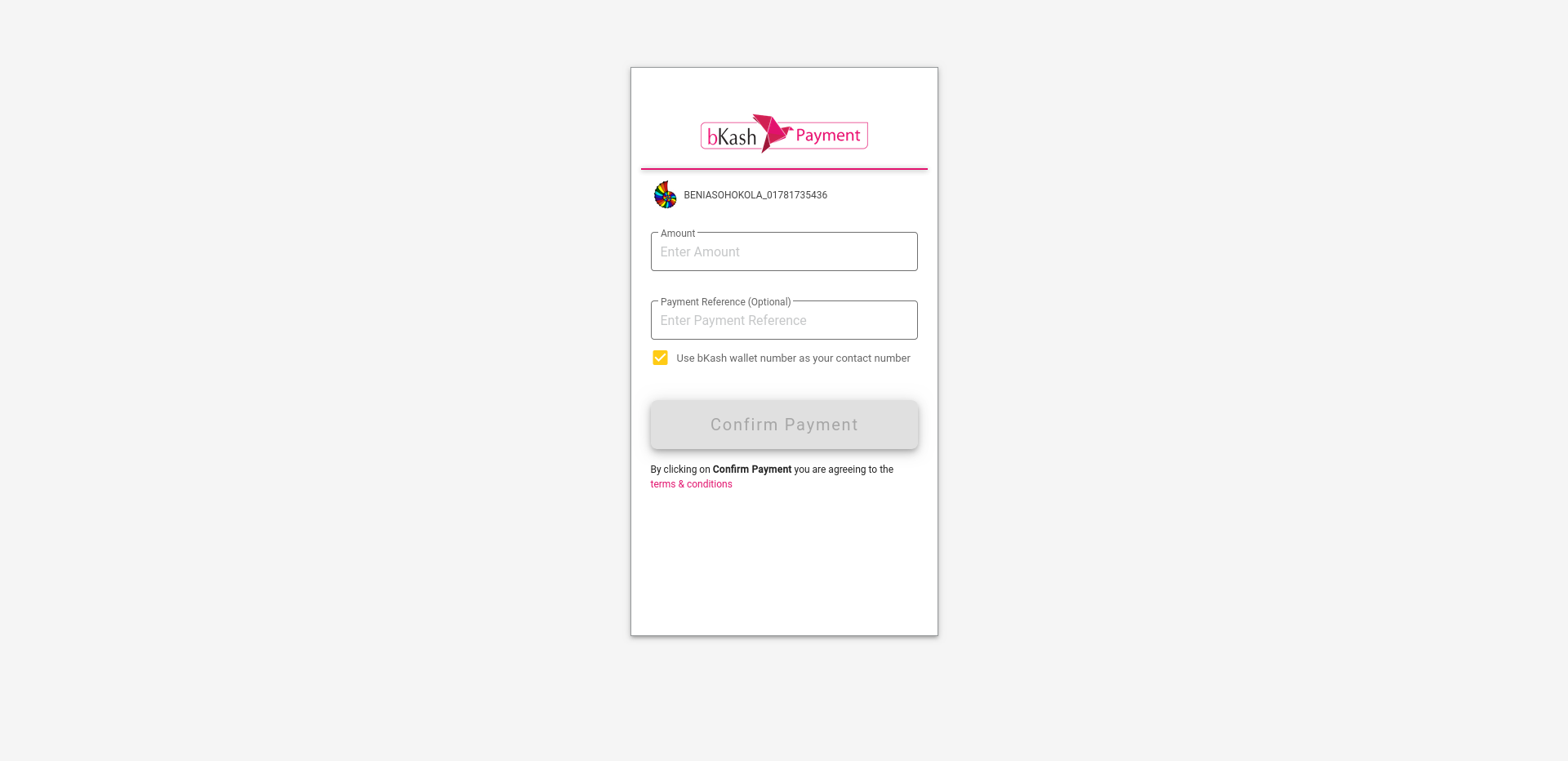
Before this call can be executed which will happen automatically, the customer will be taken to a new page, That page is actually a checkout from bKash and at this point the whole payment system will be controlled by bKash. It will ask for Customer phone number if not provided in payerReference, then an OTP will be sent to the customer's phone if bKash is already set up with their number. Then the customer will have to put the OTP in the input box shown on screen and only then bKash will ask for customer's bKash PIN number. If everything goes well the customer will be redirected to the callbackURL we provided to the bKash when calling the create payment endpoint. At the same time execute_payment method within our project is called as we have provided that to bKash already. For a successful execute payment call we will need:
- API URL
- Payload or Body of the call
- Header sent with the call
The necessary codes are shown below:
API URL
https://tokenized.pay.bka.sh/v1.2.0-beta/tokenized/checkout/execute
Payload or Body
                                CURLOPT_POSTFIELDS =>'{

                                    "paymentID": "' . $this->session->userdata('bkash_paymentID') . '"

                                }',
Header
                                CURLOPT_HTTPHEADER => array(

                                    'Content-Type: application/json',

                                    'Accept: application/json',

                                    'X-App-Key: ' . $this->config->item('bKash_app_key'),

                                    'Authorization: Bearer ' . $this->session->userdata('bkash_token')

                                ),
In body, we are sending only the paymentID saved in a session variable in the create payment call. As for the header, we are sending both X-App-Key and bearer token saved in another session variable in the grant token call and now we will be looking at the response from the call for a successful payment. A successful payment response should look like below:
                                {

                                    "paymentID": "TR...",

                                    "trxID": "C...",

                                    "transactionStatus": "Authorized",

                                    "amount": "450",

                                    "currency": "BDT",

                                    "intent": "authorization",

                                    "paymentExecuteTime": "2025-... GMT+0600",

                                    "merchantInvoiceNumber": "INV...",

                                    "payerType": "Customer",

                                    "payerReference": "01...",

                                    "customerMsisdn": "01...",

                                    "payerAccount": "01...",

                                    "maxRefundableAmount": "450",

                                    "statusCode": "0000",

                                    "statusMessage": "Successful"

                                }
Notice the trxID part which means the transaction did happen and the if the statusMessage is successful then voila! you should be receiving amount from your customer's bKash account to your Merchant Account. You should save all the responses in your database for future reference and to show your customer an invoice.
Final Thought
We will be using curl to call the endpoints and in that way you can use these endpoints to implement bKash payment gateway essentially in any PHP porjects. The detailed code needed in controller, model and views is provided in the GitHub link below. If you face any problem or need guidance, you can always contact me here t1m9m.com@gmail.com, I hope you can integrate it successfully on your project!
GitHub Link: https://github.com/t1m9mofficial/bkash-plus-codeigniter-3
Miscellaneous
1. I have implemented Tokenized V1.2.0-beta: https://developer.bka.sh/v1.2.0-beta/docs/product-overview2. Error codes: https://developer.bka.sh/v1.2.0-beta/docs/error-codes
3. All the (...) are used to hide the real data.
4. There is a new version available and you can check that out too if you want: https://developer.bka.sh/docs/product-overview